
Free workbook · PDF by email
Compare two food labels on the same basis.
You are in the aisle with two boxes. One says 18 g of carbohydrate and the other says 20 g, so the first one looks smaller. But each number belongs to its own serving, and the servings may not weigh the same. This free workbook shows you, one small step at a time, how to compare both labels for the same amount of food, then turn what is still unclear into one question for your care team.
Free: enter your first name and email, reply VERIFY to our short email, and we email you both PDFs. Printable on US Letter paper. No purchase needed.
Why a smaller number can mislead
Each number belongs to its own serving.
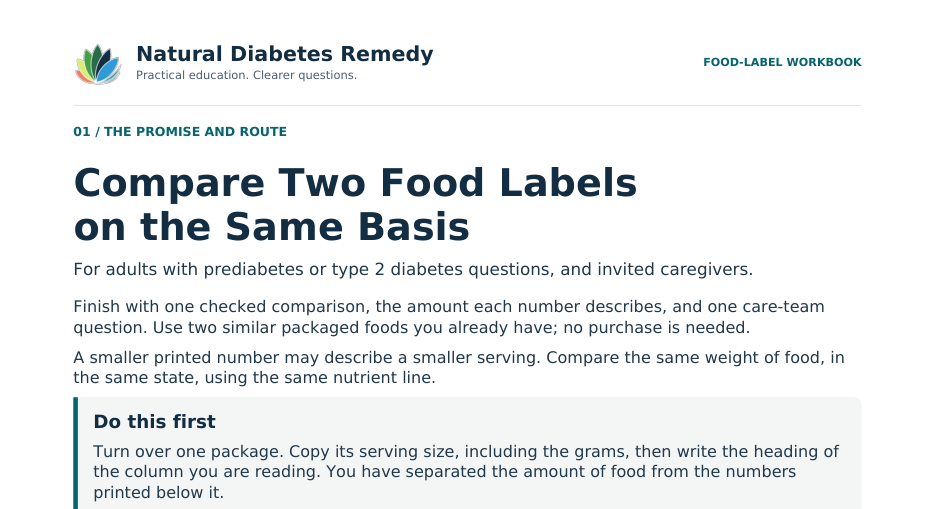
Every amount on a Nutrition Facts label describes one labeled serving. The FDA lists the serving size as a household measure, such as a cup, followed by its weight in grams, and it says the serving size is not a recommendation of how much to eat. Two similar foods can list different serving weights. So before you compare two numbers, give them the same basis: the same weight of food, in the same state, from the same line.
If this sounds like homework on a tired evening, start smaller. The first task takes a couple of minutes with one package, and you can stop after any step. The workbook sells nothing, asks for no health details and never tells you what to eat.
Same weight of food.
Choose one number of grams of food for both labels. It is a basis for the arithmetic, not a portion.
Same state and column.
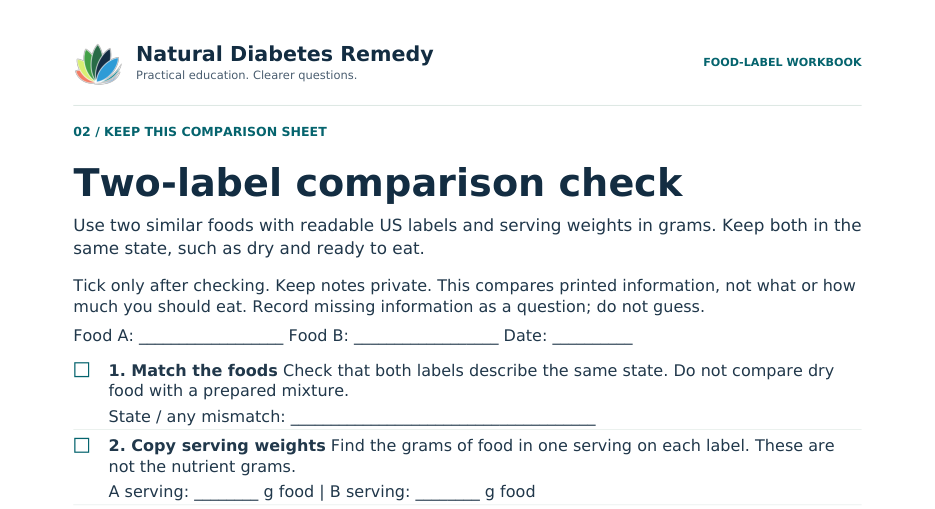
Dry with dry, prepared with prepared, and the per-serving column on both packages.
Same line.
Total Carbohydrate in grams from both labels, copied as printed, with nothing subtracted.
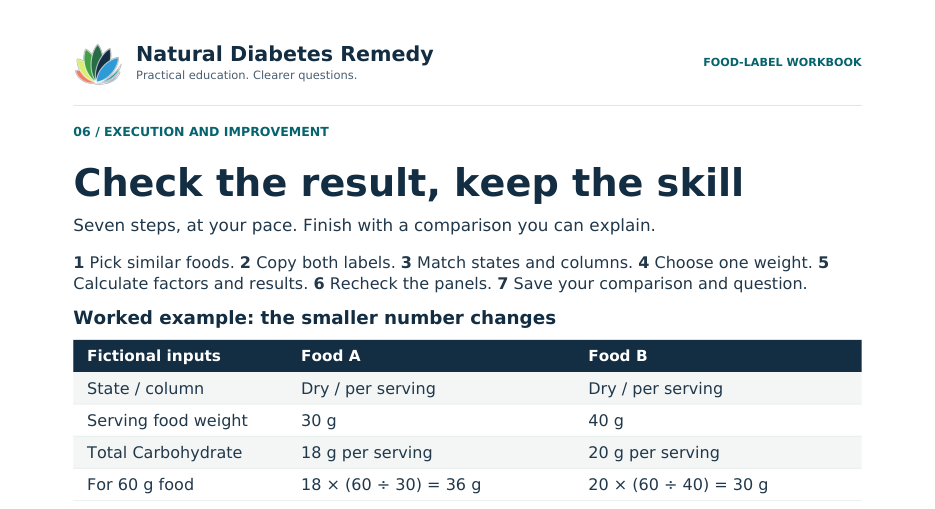
The worked example from page 6
The smaller number changes.
Food A lists 18 g of total carbohydrate for a 30 g serving. Food B lists 20 g for a 40 g serving. A looks smaller. Now compare both for 60 g of food, a weight chosen only to make the arithmetic easy.
| Fictional inputs | Food A | Food B |
|---|---|---|
| State and column | Dry, per serving | Dry, per serving |
| Serving weight | 30 g of food | 40 g of food |
| Total Carbohydrate | 18 g per serving | 20 g per serving |
| For 60 g of food | 18 × (60 ÷ 30) = 36 g | 20 × (60 ÷ 40) = 30 g |
Invented practice values. 60 g is a basis for the arithmetic, not a recommended portion.
For 60 g of food, A calculates to 36 g and B to 30 g of total carbohydrate.
The basis changed the comparison. One nutrient cannot show whether a food suits you or predict a glucose response.
The formula the workbook uses is one division and one multiplication: printed nutrient grams × (common food grams ÷ serving food grams). When the serving weight and the common weight are the same, the factor is 1 and the printed number stands.
If a package also prints a per-package column, that column answers a different question: how much is in the whole package. Two whole packages are not necessarily the same amount of food, so this comparison goes back to each per-serving column and its serving weight.
What is inside
Two files: a guided workbook and a sheet to reuse.
Open the workbook first. Its page 2 is the same comparison sheet as the one-page file, so you can print the sheet again for each new pair of foods without reprinting the whole workbook.
| Page | What it does | What you keep |
|---|---|---|
| 1. The promise and route | Who it is for, what to bring, and a first task: copy one serving size with its grams and the heading of the column you are reading | Your five-step route |
| 2. Comparison sheet | Seven checks, from matching the foods to writing one question, with the formula and a completion test | A reusable sheet (also the separate 1-page file) |
| 3. Copy before you calculate | A record for each food: state, full serving line, servings per container, column heading and Total Carbohydrate; the two kinds of grams | Two complete label records |
| 4. Give both numbers one basis | Divide once, then multiply, with a fictional single-food practice; when a second column changes the task | Two calculations with units |
| 5. Keep a note you can explain | Three fill-in templates: capture one label, write a comparison sentence, ask your care team | A comparison note and a question |
| 6. Check the result | The worked example above, and what to do when the comparison gets stuck | A finished example and your next step |
Bring: two similar packaged foods you already have, with readable US Nutrition Facts panels and serving weights in grams, a pen and a calculator. No weighing or eating is required, and no purchase is needed. Plan on one sitting at the table; the first task takes a couple of minutes.
Previews show the top of each page only. All values in the workbook are invented practice values, not recommended amounts.
Which to start with
New to labels? Practice first. Comparing two foods? Start here.
The site has two free ways to work with labels, and they do different jobs.
Food-Label Practice
Fictional labels with explained answers. It teaches how to read one label: what the 18 g describes, how to multiply by servings, and why a per-package column is not multiplied again. It runs in your browser, and its printable version is Part 7 of the free toolkit, with a large-print edition.
Food Label Comparison Workbook
Two real packages from your own kitchen, put on the same weight of food so the numbers can be compared fairly, with a note you can explain and one question for your care team. Use it once reading a single label feels familiar.
The whole Diabetes Information and Appointment Toolkit is a separate free resource with twelve parts, from test words to appointment questions. You can request both.
Send me the workbook.
Type your first name and email, and we’ll send you a short email. Reply VERIFY to it and we’ll email you a link to both PDFs: the 6-page workbook and the 1-page comparison sheet. Start with the box called “Do this first” on page 1.
- Free, no payment card
- Two printable PDFs on US Letter paper
- Then 3 short emails over about 10 days, each with an unsubscribe link; the last one names our own $9 Fillable Edition, and there are no affiliate links
- We never ask for health details
Your first name and email address go to our email service (HighLevel) so we can send the link and the 3 short emails, and greet you by name. Privacy Policy
Request the workbook
Before you start.
Do I need to weigh or eat anything?
No. The method uses the gram weights printed on both labels. You need two labels, a pen and a calculator. No weighing or eating is required.
How is this different from Food-Label Practice?
Food-Label Practice uses fictional labels to teach how to read one label: what each number describes and when not to multiply a per-package column again. This workbook uses two real packages you already have and puts both on the same weight of food, so the two numbers can be compared fairly.
Does the workbook tell me which food to choose?
No. It compares one printed line, total carbohydrate, for the same weight of food. One nutrient cannot show whether a food suits you, and the workbook sets no food, portion or glucose target. Ask your care team how label information fits your care plan.
Is there a large-print version?
Not yet. Both PDFs zoom cleanly on a screen, and the free toolkit’s Food-Label Practice part has a large-print edition if you want to practice in larger type first.
Which emails will I get?
First a short email that asks you to reply VERIFY. Once you do, the email with both PDFs, then 3 short emails over about 10 days on using the workbook, and then the series stops. The last one names our own $9 Fillable Edition once, and there are no affiliate links. Every email has an unsubscribe link.
Keep going.
If the grams, cups and fluid ounces on a label are what trips you up, read Food-Label Units: Grams, Cups and Ounces Explained. To separate one serving from the whole package, read How Many Servings per Container? And when you have a question for your care team, the question builder helps you put it first.
General education only. This page helps you organize learning and questions. It is not medical advice and does not recommend a treatment, diet, medicine or blood-sugar target. Personal health decisions belong with your care team. Medical and educational disclaimer
Sources and editorial notes
- US Food and Drug Administration, Serving Size on the Nutrition Facts Label, retrieved October 25, 2026. Supports: the serving size is given as a household measure followed by grams and is not a recommendation of how much to eat or drink; some labels have a second column for the whole package.
- US Food and Drug Administration, How to Understand and Use the Nutrition Facts Label, retrieved October 25, 2026. Supports: when comparing products, make sure the serving size is the same.
- US Food and Drug Administration, Interactive Nutrition Facts Label: Total Carbohydrate, retrieved October 25, 2026. Supports: total carbohydrate includes total sugars, dietary fiber and sugar alcohols.
Examples are illustrative. Written by the Natural Diabetes Remedy editorial team with AI assistance; not yet reviewed by a clinician. See our Editorial Policy, Review Methodology and Affiliate Disclosure.